We only use cookies to enhance your experience. No cross-site tracking, no ads. Read our Cookie Policy.
Changelog.
New features, improvements, and fixes from the Supercut team.
23 October 2026
MCP for Viewer seats, shorter token expiry, and fixes
People on Viewer seats can now use Supercut MCP and personal API tokens, and API tokens can be set to expire much sooner.
Improvements
- Viewer seats can connect Supercut MCP and create personal API tokens on paid workspaces. They keep the same access they have in the app
- Personal and workspace API tokens can now expire after 1 hour, 1 day, or 7 days, alongside the existing options
- Supercut MCP and the API now return links to videos and playlists
- Agents can now check the progress of your imports and see which videos succeeded or failed
Fixes
- Password-protected videos now ask for the password before anyone other than the creator opens them in the editor or changes the password
- The People page has a clear Actions column, so members can leave a workspace and admins can remove members
- Supercut now asks before you change your own role in a way that would stop you managing members
Supercut MCP and the API are available on paid workspaces.
You can now set your default layout from Account settings, without opening a video first.
Improvements
- Account settings shows a live preview of your default layout. Click it to change the layout and save it as your default
- The Forms panel in the player has the new design
- Agents can now change a video's title or summary through Supercut MCP and the API
- Agents can now share playlists with people and change a video's public link and workspace access
Fixes
- The Chrome extension now copies the video's share link when a recording ends, instead of a link meant only for the recorder
- Teammates who open a recorder link that was already shared now go straight to the video instead of an account mismatch page
Supercut MCP and the API are available on paid workspaces.
15 October 2026
Better Loom imports
Moving your library from Loom is now smoother. Your Loom folders can come across as playlists, and it is easier to see what happened to every video.
- Add a
# folder: nameline on the Import tab and the links below it go into a playlist with that name - Loading a Loom account export fills in your folders for you, so you can check them before you import
- One import can cover many folders, with a single summary when it finishes
- Each workspace has its own import limit. If you need to import more at once, use the Reach out link on the Import tab
- Videos that fail to import now show their full link and the reason they failed
- Workspaces that start by importing videos now get their free trial straight away
Switching from Loom? Take a look at our Loom offer.
You can now drag a video straight onto a playlist in the sidebar, and workspace owners can manage any video in their workspace.
Improvements
- Drag a video from My Supercuts, Search, or Shared with me onto a sidebar playlist to add it. Collapsed sections open as you hover
- Workspace owners now have full access to every video in the workspace, so they can share or update a video without waiting for the person who made it
- Notifications are live again. The unread badge and your activity feed update as things happen, on every page, without a reload
- Search now finds videos shared with you, including ones you have not opened yet. This works in the app and through Supercut MCP
- Agents can now change a playlist's public link and workspace access through Supercut MCP and the API
- The Call-to-action panel in the player has the new design
Fixes
- Shared with me now includes videos that others add to playlists you own
- Link expiry dates now save correctly on edited versions of a video
- Reordering a playlist no longer fails when a video's default version is an edit
- Comment timestamps no longer get cut off
- Transcripts set to Chinese (Traditional) or Cantonese (Traditional) now come out in Traditional characters
- Long language names no longer get cut off in the player and settings
- Inviting the same email more than once, or your own email, during setup no longer causes an error
Supercut MCP and the API are available on paid workspaces.
8 October 2026
Private videos now play in Notion and other embeds
Workspace-only videos embedded in Notion and other sites now play for teammates who are signed in to Supercut. Before, they saw "This video is private" even when they had access.
- Signed-in members of your workspace can watch private videos right where they are embedded
- People without access still see the private notice, so nothing becomes public
- Views and plays from embeds and Slack previews are now counted in your video's stats
7 October 2026
macOS recorder v1.0.896
- New: Teleprompter
- New: Menu in widget for easy access to teleprompter and more
- New: shape selector in "burnt" camera mode (separate camera off)
- Bug: Fixed macOS 27 release affecting shortcuts
- Bug: Fixed restart affecting logged events
29 September 2026
Refreshed player panels, playlist tools for agents, and fixes
The panels in the player have a new look, and your AI tools can now do more with playlists.
Improvements
- The Download, Share, Theme and Layout, and Settings panels have been redesigned and now follow the player's light or dark theme
- Zooms in the editor are now available to everyone. Cmd+drag on the timeline, use the Zoom button, or zoom from a transcript selection
- Supercut MCP and the API can now create, rename, and delete playlists, and remove videos from them
- Agents can now list the members of your workspace
Fixes
- Zooms now work on videos without audio
- Long uploads from the Chrome extension no longer fail when your sign-in refreshes partway through, and failed uploads retry automatically
Supercut MCP and the API are available on paid workspaces.
29 September 2026
Images in comments
Comments can now include images. Paste a screenshot, drop a file, or pick one from your computer, and it shows up right in the thread.
- Add up to 4 images per comment (JPEG, PNG, WebP or GIF, up to 10 MB each)
- Images show as thumbnails in the thread and open full size with a click
- A comment can be just an image, no text needed
- Comment summaries and Ask AI now understand what is in attached images, so nothing gets missed when you catch up
- Images are also available to your AI tools through Supercut MCP and the API
Supercut MCP and the API are available on paid workspaces.
29 September 2026
Reorder playlists in the sidebar
You can now drag to reorder playlists in the workspace sidebar. Your order is saved.
- Drag playlists into the order you want
- Playlists are grouped into collapsible Pinned and Other sections
22 September 2026
Shared with me
Shared with me now pulls in any video you have opened when someone shared a link with you directly, anything you have been given specific access to, and any video from a playlist you are part of, including new videos added to that playlist after you are added.
- Replaces the old Watched view in the workspace sidebar
- Filter All, Watched, or Not watched yet without leaving Shared with me
22 September 2026
Comment summaries
Busy comment threads now open with an AI summary at the top of the comments panel, so you can catch up without reading every reply.
- Shows once a video has enough comments
- Refresh when new comments arrive
- Very long threads keep the last summary and note that they are too long to re-summarize
16 September 2026
macOS recorder v1.0.895
macOS 27 introduced a breaking change affecting the widget window and blocking drag/move. This release addresses that issue.
16 September 2026
New player keyboard shortcuts
The player now has YouTube-familiar shortcuts for play, skip, and speed, plus frame-step when paused.
Kplay / pause (same as Space)J/Lskip ±10 secondsShift+,/Shift+.step playback speed up or down, including Max,/.andShift+←/Shift+→step two frames while paused- Skip tooltips show real arrow keycaps
Full guide here: Keyboard shortcuts in the player
26 August 2026
Captions in mobile fullscreen.
On iPhone and Android, captions used to vanish the moment you went fullscreen. They now stay on in the native player.
26 August 2026
Manage seats and billing in one place.
Self-serve workspaces can now change seats and billing interval without leaving Supercut. One modal, one confirm — more seats, fewer seats, monthly or yearly.
- Add seats, Manage seats, and Upgrade to yearly on Plan & Billing all open the same modal.
- Price updates before you confirm. Cancellation still goes to the Stripe portal.
25 August 2026
Search recordings from MCP and the API.
Agents can now search your library by what a recording is about, not just a title match. list-recordings still lists and filters. The new search-recordings tool (and GET /platform/v1/recordings/search) runs keyword + meaning search over titles and AI summaries.
- Find a video from a description, or from something said in it.
- Same visibility rules as the rest of the platform API.
- Platform API docs
16 August 2026
macOS recorder v1.0.893 – 1.0.894
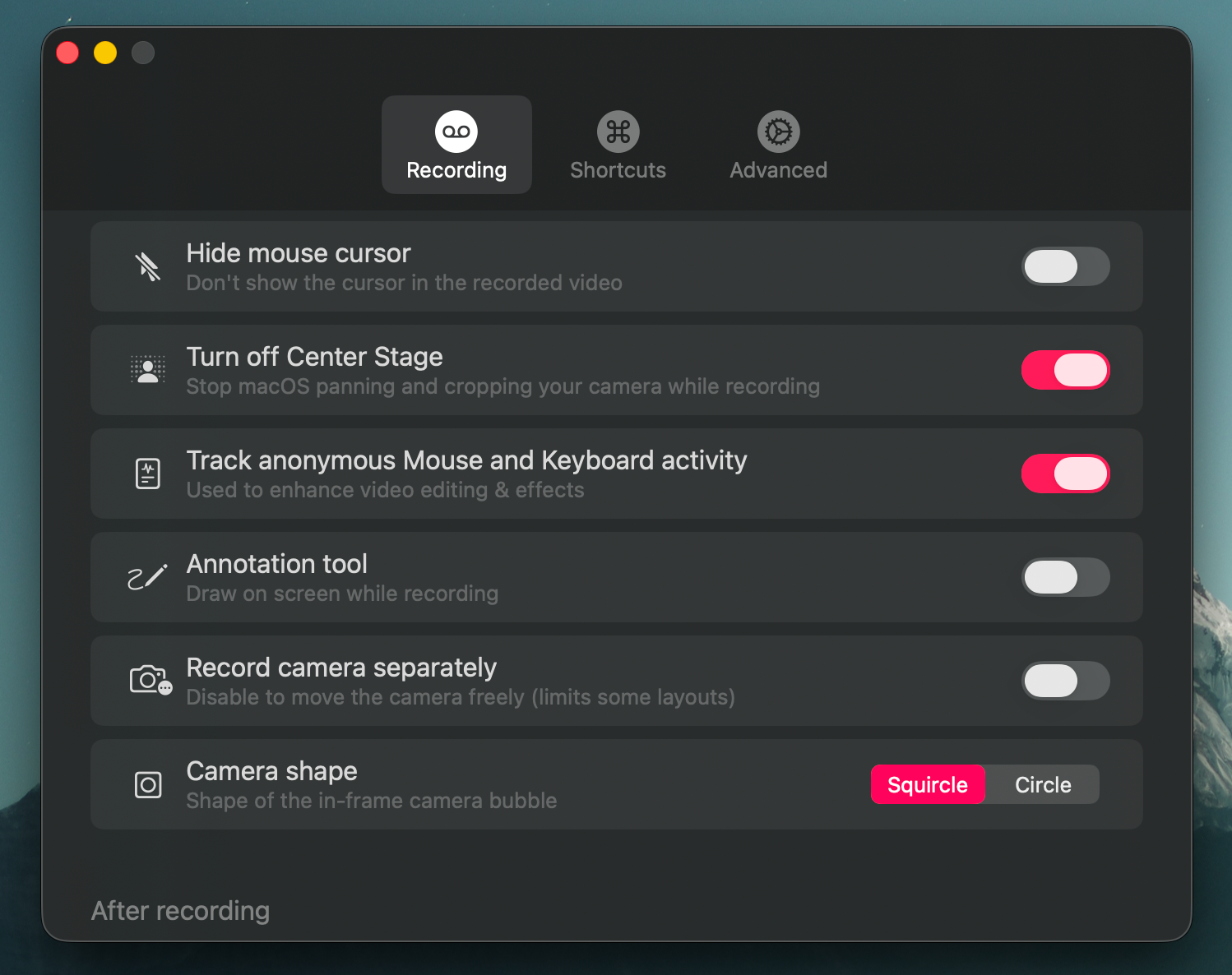
- Camera burn-in, record the camera composited directly into the screen video as an in-frame bubble, with a compact auto-hiding controls.
- Hide mouse cursor setting for recordings.
- Improved recording handling and start-up.
- Improved failure reporting.
- Various bug fixes and recording hardening.
- Unplugging the camera mid-recording now stops the take. It used to alert but keep recording, leaving you with footage that had no camera in it.
- Swapping the mic mid-recording no longer distorts the audio recorded after the switch.
- No more mic-disconnect popup when you aren't recording (AirPods sleeping, undocking, unplugging a USB mic).
- Drawing an annotation shifted the colour tone of the entire frame for as long as the ink was on screen, baked into the recording.
- Improved uploading and bug fixes for edge cases.
10 August 2026
Workspace vocabulary for more accurate transcripts.
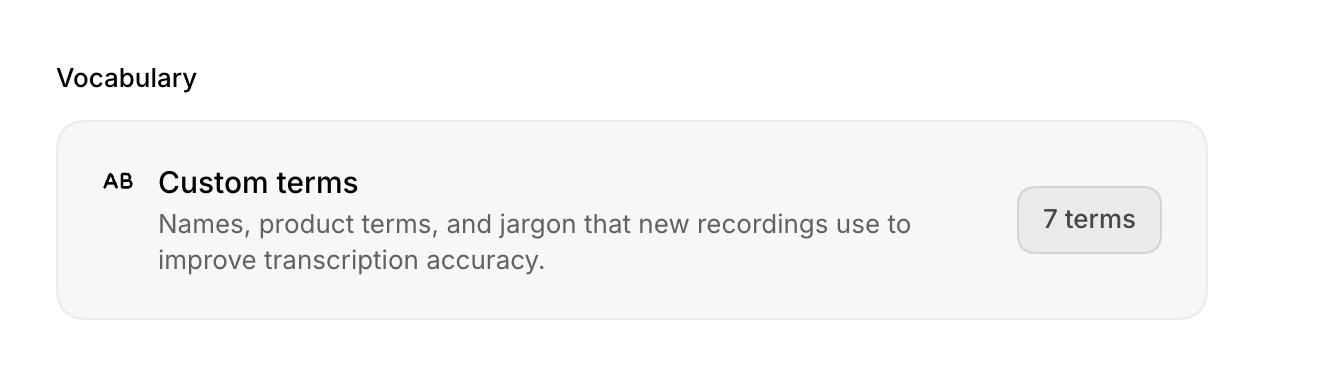
Add names, product terms, acronyms, and company jargon in Workspace settings → General → Vocabulary. Supercut will use them to improve transcription accuracy on new recordings.
- Add up to 50 custom terms for your workspace.
- Terms are used across Supercut’s transcription pipeline.
- Workspace admins can update the list; everyone benefits from clearer transcripts.
25 July 2026
Adjustable sidebar in Theater mode.
21 July 2026
New workspace UI updates.
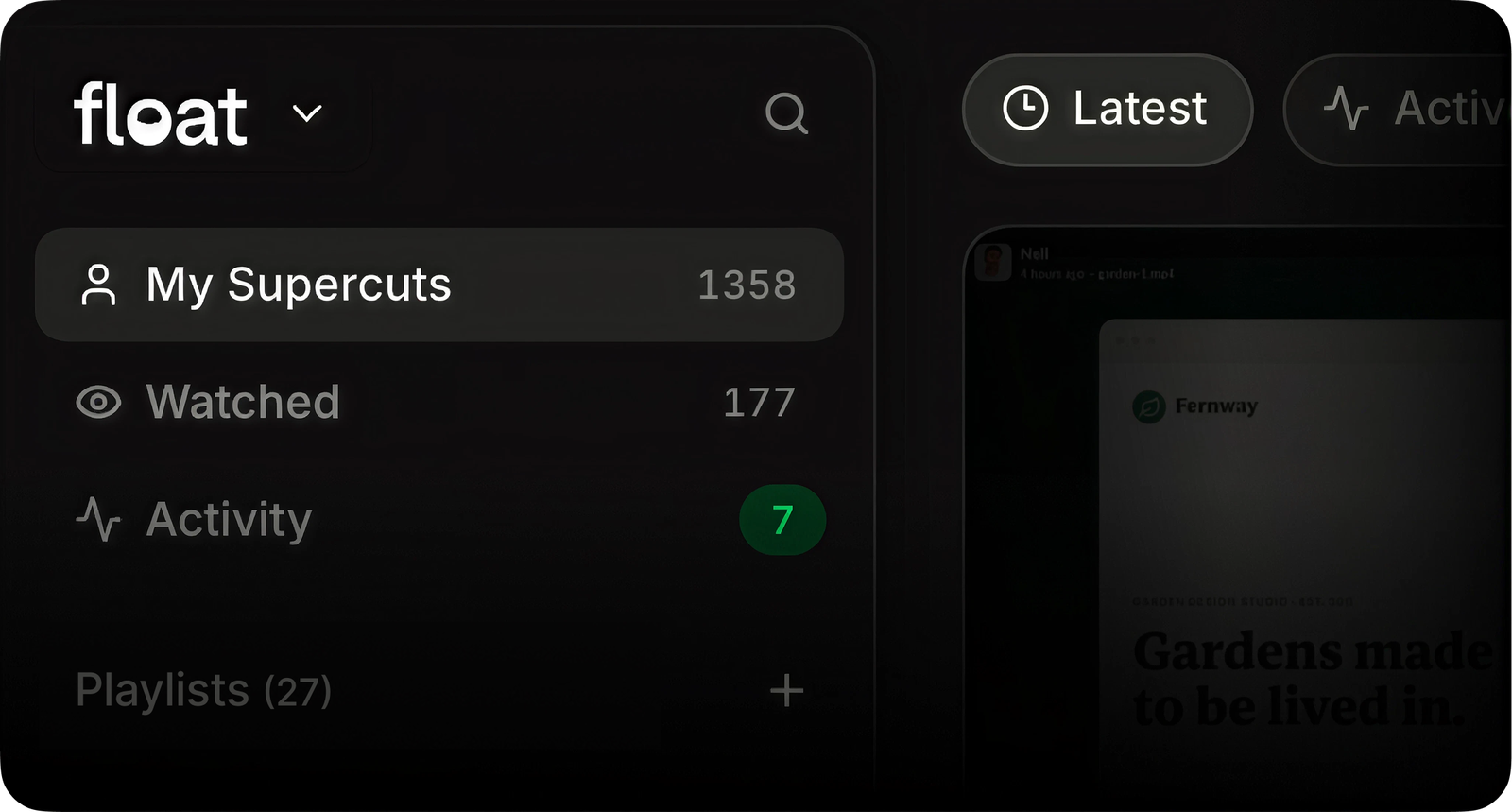
We’re gradually rolling out design updates across the web app, starting today with workspaces.
- New improved design system rolled out on main workspace views.
- Activity feed is now a first-class citizen.
- “Stacks” are now called “Playlists” and live in the new sidebar.
- The user menu has moved from the sidebar to the top right.
- +++ dozens of small quality of life improvements.
ツEnjoy